
Cousins Maine Lobster
Cousins Maine LobsterFood & Drink
3.0378.00 Reviews
- Version
- 112.20.91
- Installs
- 100.00K
- Age Rating
- Everyone
Screenshots
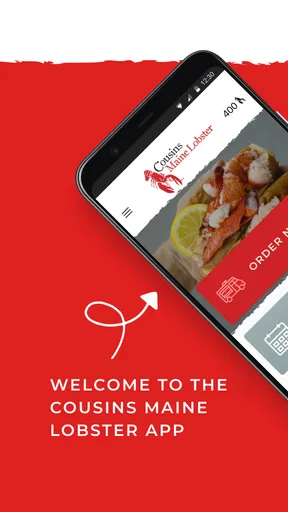
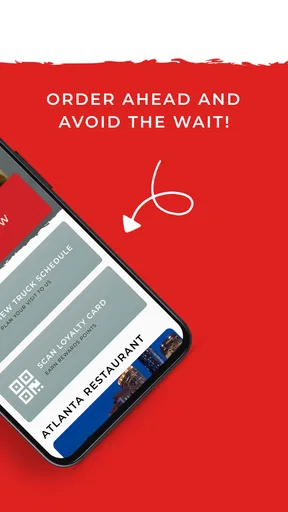
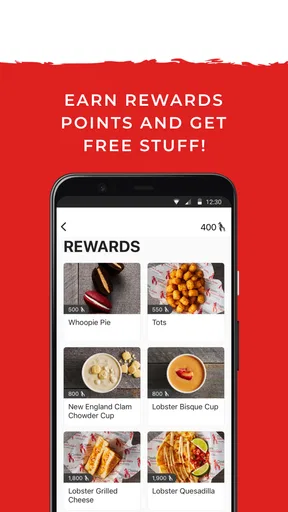
Our Review of Cousins Maine Lobster
 Analysis by Appyee
I tried Cousins Maine Lobster as a food-and-drink app with one clear purpose in mind: making the relationship between a lobster-lover and the Cousins Maine Lobster brand feel more useful than simply checking a menu in a browser. Its store summary calls it a loyalty program, and that is the right way to approach it. I would not install it expecting a broad restaurant-discovery service, a recipe collection, or a general food-ordering marketplace. I would install it when I already planned to interact with this particular seafood brand and wanted a more direct place to do that.
The app is free, aimed at everyone, and comes from Cousins Maine Lobster. It has passed the point where an app is merely experimental: it has more than 100 thousand installs. At the same time, its average rating sits at 3.0 from roughly 673 ratings and 378 written reviews, which immediately sets a realistic expectation. There is a genuine audience for it, but the experience is not universally smooth. My impression is that its value depends heavily on whether you are already near a participating Cousins Maine Lobster operation and whether you are willing to use a loyalty-focused tool rather than a familiar all-purpose ordering app.
Starting with a planned lobster stop
The most sensible starting condition is a simple one: I am hungry, I know I want lobster or another item from Cousins Maine Lobster, and I want to make the visit count toward an ongoing relationship with the brand. That is different from opening a typical delivery app because I am not comparing dozens of restaurants. I am beginning with one specific destination and looking for a convenient way to engage with it.
This distinction matters. If I am undecided about dinner, a broad delivery service is usually better because it lets me compare cuisines, delivery times, fees, and nearby restaurants in one place. This app is narrower by design. Its usefulness begins after the brand is already part of my plan. For a returning customer, that narrowness can feel focused rather than limiting; for someone discovering food options, it may feel like an extra app for a task already handled elsewhere.
I also found it helpful to think of the app as a companion to an in-person or brand-specific purchase, not as a replacement for every other food tool on my phone. That mindset prevents disappointment. A loyalty program is valuable when repeated visits, rewards, or brand engagement matter to me. It is less compelling when I only want to locate the fastest meal tonight.
What I would check before relying on it
Before making the app central to a meal plan, I would first confirm that the Cousins Maine Lobster location or event I intend to visit is actually part of the experience available to me. This is a practical habit with any brand-specific app, but it matters more here because the app does not have the broad coverage of a general restaurant platform. Installing it while traveling, planning a special occasion, or visiting a temporary food-truck location can create an awkward gap between what I expect and what the local operation supports.
I would also make sure I have enough time to complete the loyalty setup before reaching the counter. Signing up while a queue is moving is rarely the best moment to enter personal details, look for account controls, or work out how a reward should be used. A few minutes of preparation at home can turn the app from a distraction into a useful part of the visit.
That preparation is one of the less obvious trade-offs. Loyalty apps are most helpful when they are ready before the transaction, yet people often download them only after deciding what to order. If I wait until the last second, the app may still be worth using, but I am more exposed to connection problems, forgotten credentials, or uncertainty about whether a reward has been recorded.
Following the workflow from download to outcome
I use this section to trace the practical path from installing the app to checking whether a visit has been connected to my loyalty account. Thinking through each handoff also helps me spot where a little preparation can prevent a rushed counter interaction. From there, I can judge how well the workflow holds up when the phone, connection, or timing is less than ideal.
Step one: install and establish the account
The application supports older devices, with Android 7.0 listed as the minimum operating system, and the current version is 112.20.91. That makes it accessible to people who do not replace their phones frequently. I appreciate that because a loyalty program loses much of its practical value if it assumes everyone has a recent handset. On the other hand, support for an older operating system does not guarantee that every older phone will feel equally quick or comfortable, so I would still keep expectations sensible on dated hardware.
Once installed, the first useful task is creating or accessing the loyalty identity. I would use an email address or account detail that I can reliably access later, rather than a temporary address or an account shared casually with another family member. The reason is simple: loyalty progress is only useful when I can connect it to the same person on future visits. A rushed setup can create the most frustrating kind of problem—an apparently missing history that is really attached to a different login.
For households, I would decide in advance whether one person will manage the account or whether each regular customer needs an individual one. Sharing a phone at the counter may seem convenient, but it can make ownership and reward tracking unclear. A single account is practical for a couple who always orders together, while separate accounts make more sense when different people visit independently.
Step two: prepare for the visit instead of improvising
After the account is ready, I would treat the app as a pre-visit checklist. I would open it before leaving, make sure I am signed in, and review whatever loyalty information is available to me. This is not glamorous advice, but it is the difference between a calm handoff and a conversation at the counter that begins with, “Where do I find that?”
There is also a useful planning distinction between wanting a reward and wanting a record. If I am close to earning something, I would pay attention to the account before ordering. If I am simply trying to make sure a visit is recognized, I would focus on presenting the correct account at the right point in the transaction. Those are separate goals, and confusing them can lead to disappointment when a customer expects an immediate benefit but the app is primarily recording loyalty activity.
I would avoid assuming that installing the app automatically changes the price of a meal. The app is free to download, but the presence of a loyalty program does not mean every purchase becomes cheaper or that every offer applies to every location. I would read the reward or offer wording shown inside the app and ask the staff member a brief question before paying if the terms are unclear. That small pause is more reliable than guessing.
Step three: make the counter handoff explicit
The key handoff happens between my phone and the person or system handling the purchase. I would bring up the relevant loyalty screen before the order is finalized, not after I have walked away. If the visit needs to be connected to the account, the staff member needs a chance to recognize or process it while the transaction is still active.
This is where brand-specific apps can differ from large ordering platforms. A major delivery service usually controls the entire digital order from restaurant selection through payment and status updates. A loyalty app may sit beside the physical purchase instead. That means the final result depends partly on a human handoff: I present the digital account, the counter or truck team recognizes it, and the transaction is associated with the right customer record.
I would keep the phone brightness high enough for the screen to be readable and avoid switching between several apps while the line is waiting. If the app uses a sign-in screen again, I would rather deal with that before ordering. These are small workflow details, but they are especially important for a food truck or busy service setting where the staff has limited time for troubleshooting.
Step four: confirm what happened before leaving
The outcome I want is not merely a completed purchase. I want confidence that the visit was connected to the loyalty account and that any available benefit was handled correctly. Before leaving, I would check the account or confirmation area when practical. If the information has not updated immediately, I would keep the receipt or other purchase evidence and ask the staff what the normal next step is rather than repeatedly tapping buttons.
This is another non-obvious point: a loyalty workflow has two separate moments of success. The first is the restaurant successfully completing the order. The second is the app successfully recording the relationship between me and that order. A delicious meal can still produce a poor app experience if the second part is unclear. I judge the program by both outcomes because the whole reason to use it is future value, not just today’s food.
When the result is worth the extra step
The app makes the most sense for repeat customers. If I visit Cousins Maine Lobster often enough to care about recognition, rewards, or a more direct connection with the brand, the small amount of setup can pay off over time. It can also be useful for someone who regularly follows a favorite food truck or plans visits around the brand rather than choosing whichever restaurant happens to be closest.
It is less persuasive for a one-time tourist or an occasional customer who has no intention of returning. In that situation, the ordinary purchase process may be simpler. I would not create a loyalty account solely because the app exists if I am unlikely to use it again. The best loyalty tools reward a pattern of behavior; they do not automatically improve every isolated meal.
Where the flow breaks and how I would handle it
The rating of 3.0 is a useful warning that the experience can have friction. I would not interpret it as proof that the app is unusable, but I would take it seriously when deciding how much to depend on it. A brand-specific loyalty app has more points of failure than a printed punch card: the phone, the connection, the login, the account record, and the handoff with the location all have to cooperate.
The first likely break is timing. Downloading at the counter, especially during a busy service period, puts pressure on both the customer and staff. My workaround is to install and sign in before arriving. The second is account confusion. If a reward or visit does not appear, I would first verify that I used the intended login before assuming the program lost anything.
A third problem is expectation. Some customers approach a loyalty app as if it were a complete ordering system, then feel let down when it behaves more like a membership layer around the purchase. I would choose a general delivery or restaurant-ordering app when I need broad discovery, side-by-side delivery comparisons, or one checkout for several restaurants. I would choose the Cousins Maine Lobster app when the brand itself is the destination and loyalty is the main reason for opening it.
There is also a practical phone-management issue. If I am attending an event with weak reception, low battery, or a crowded screen full of notifications, I would not make the app my only proof of the transaction. I would keep the purchase details available and ask how the visit should be handled if the digital step fails. That is not distrust of the brand; it is sensible backup planning for any app-dependent loyalty process.
Families and groups may encounter another point of friction. The person ordering is not always the person whose account holds the loyalty history. I would decide who presents the account before reaching the counter, especially when several people are paying separately. That avoids the common mistake of completing the meal first and trying to sort out account ownership afterward.
Who should use it, and who should skip it
I would recommend trying it if you are a repeat Cousins Maine Lobster customer, enjoy keeping brand rewards in one place, and are comfortable adding a focused loyalty app to your phone. It is also a reasonable choice for someone who prefers to prepare before visiting rather than relying on a browser or explaining an account at the last moment.
I would skip it if you are looking for a universal restaurant app, need dependable cross-restaurant comparison, or only expect to eat from the brand once. I would also be cautious about depending on it during a tightly scheduled event unless the account is already prepared and I understand how the local purchase handoff works. In those cases, the ordinary ordering method or a broader food platform may be more straightforward.
My final take after following the complete journey
Cousins Maine Lobster is a focused loyalty app, and its strengths appear when I use it for exactly that job: prepare an account, visit the brand, connect the purchase to the account, and check the resulting loyalty status. The workflow is more deliberate than opening a general food app, but that is not automatically a flaw. For a regular customer, the direct connection can be worthwhile.
My reservation is that the experience depends on good timing and a clean handoff. I would not arrive unprepared, assume every location works identically, or treat the app as a replacement for a full ordering marketplace. The middling average rating reinforces that I should approach it as a useful but imperfect companion rather than an essential food tool.
Overall, I would recommend it selectively. If Cousins Maine Lobster is already one of your regular stops, the free app is worth testing before your next visit, especially on a compatible Android phone. If your goal is simply to find dinner, compare restaurants, or place a one-off order with minimal setup, I would use the usual broader alternative instead. The right outcome comes from matching the app to the workflow it was built for: repeat loyalty, not general food discovery.
Verdict
Strengths of Cousins Maine Lobster
- Easy way to browse the menu and find nearby Cousins Maine Lobster trucks.
- Location details help users check operating hours and truck availability.
- Useful for discovering lobster rolls, seafood dishes, and seasonal offerings.
- Mobile access makes it convenient to plan a visit while traveling or exploring.
- The app can help fans stay connected with new locations and brand updates.
Limitations of Cousins Maine Lobster
- Truck schedules and locations may change, so listings are not always guaranteed.
- Availability depends on local events and inventory, especially for popular seafood items.
- The app may offer limited value in areas without a nearby Cousins Maine Lobster truck.
- Prices, fees, and promotions may vary by location and may not always be shown clearly.
- Some features may depend on internet access and accurate device location settings.
Similar Picks in This Category
View All
Rappi: Food Delivery, Grocery
Rappi, Inc - Delivery3.5

McDonald’s: Cupons e Delivery
Arcos Dorados4.3

Swiggy: Food Instamart Dineout
Swiggy4.7

Blinkit: Groceries & more
Blinkit4.8

foodpanda: food & groceries
Foodpanda GmbH a subsidiary of Delivery Hero SE4.0

Zomato: Food Delivery & Dining
Zomato4.7
Frequently Asked Questions
What is the Cousins Maine Lobster app used for?
The Cousins Maine Lobster app is designed to help seafood fans discover the brand’s lobster-focused menu, locate nearby food trucks or restaurant locations, and keep up with current schedules and events. Depending on your area, you may also be able to browse available dishes, view ordering information, find catering details, and connect with the brand through its official digital channels.
Can I order lobster meals directly through the Cousins Maine Lobster app?
Ordering options can vary by location and by the features currently available in the app. In some areas, the app may direct you to online ordering, pickup, delivery, or a partner service, while other locations may primarily use it for menus and food-truck schedules. Before downloading, check whether your local truck or restaurant supports mobile ordering and confirm applicable fees, availability, and pickup times.
How can I find a Cousins Maine Lobster food truck near me?
The app can help you look for nearby Cousins Maine Lobster trucks, restaurants, or scheduled appearances, usually by using your location or allowing you to search by city. Availability may change frequently because food trucks move between neighborhoods, festivals, markets, and private events. It is a good idea to verify the schedule shortly before traveling, since weather, demand, or event changes can affect operating times.
What kind of food and menu information is available?
Cousins Maine Lobster is best known for lobster rolls, lobster bisque, lobster grilled cheese, lobster tacos, and other seafood specialties, although the exact menu can differ by location. The app or linked ordering page may show descriptions, prices, sides, drinks, and seasonal items. Customers with allergies should review ingredient information carefully and ask staff about preparation and possible cross-contact.
Is the Cousins Maine Lobster app free, and is it available for everyone?
The application is generally free to download, although ordering food, delivery, catering, or special services may involve separate charges. Features can depend on your country, device, location permissions, and whether a nearby Cousins Maine Lobster operation is active. If the app is unavailable in your region, you may still be able to use the official website or social media pages for menus, schedules, and contact information.
